Users & Access
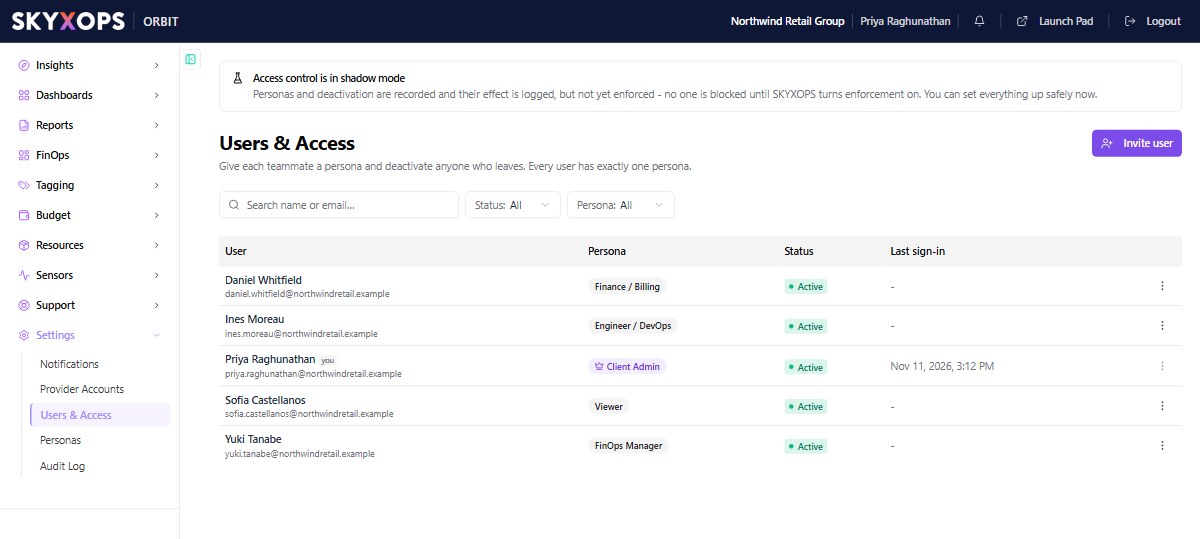
Settings > Users & Access is where you manage who's in your Orbit workspace. Every teammate is assigned exactly one persona. A persona is the role that will decide what they can see and do.
Personas are recorded and logged, but not yet enforced. No one is blocked by a persona until SKYXOPS turns enforcement on. You can set everything up safely now, and Orbit shows this same notice at the top of the page.
Deactivation is different. It disables the person's sign-in straight away, whether or not enforcement is on.
Invite a user
- Open Settings > Users & Access.
- Choose Invite user (or Add user).
- Enter their email address.
- Assign a persona, for example FinOps Manager, Finance / Billing, or Viewer.
- Send the invite. The teammate gets an email link to activate their account and set a password.
Their status moves from Pending to Active once they accept.
Assign or change a persona
Each user has exactly one persona. To change what someone can do, reassign their persona:
- Find the user in the list.
- Change their persona to a different one.
The assignment is saved immediately. To change what a group of people can do, edit their shared persona instead of each user. What that assignment permits takes effect once enforcement is on.
Deactivate a user
When someone leaves, deactivate them from the list. The change is recorded in the Audit Log.
Deactivating a user disables their sign-in straight away. They cannot sign in to Orbit again unless you reactivate them. If they are signed in at that moment, their open session can stay active until it expires.
Who can manage users
Managing users is intended to be permission-gated. It requires a persona with the manage permission on Users & access (for example the built-in Client Admin). While enforcement is off, this gate is logged but not applied, so the page may be reachable by personas that won't retain access later.
FAQ
Can a user have more than one persona?
No. A user has exactly one. Model combinations by creating a persona that grants the right mix of permissions.
How do I remove someone right away?
Deactivate them here. Their sign-in is disabled straight away and the change is recorded in the Audit Log. If they are signed in at that moment, their open session can stay active until it expires.
Where do the personas in the dropdown come from?
They come from the Personas page: the SKYXOPS templates plus any you've created.