Support tickets
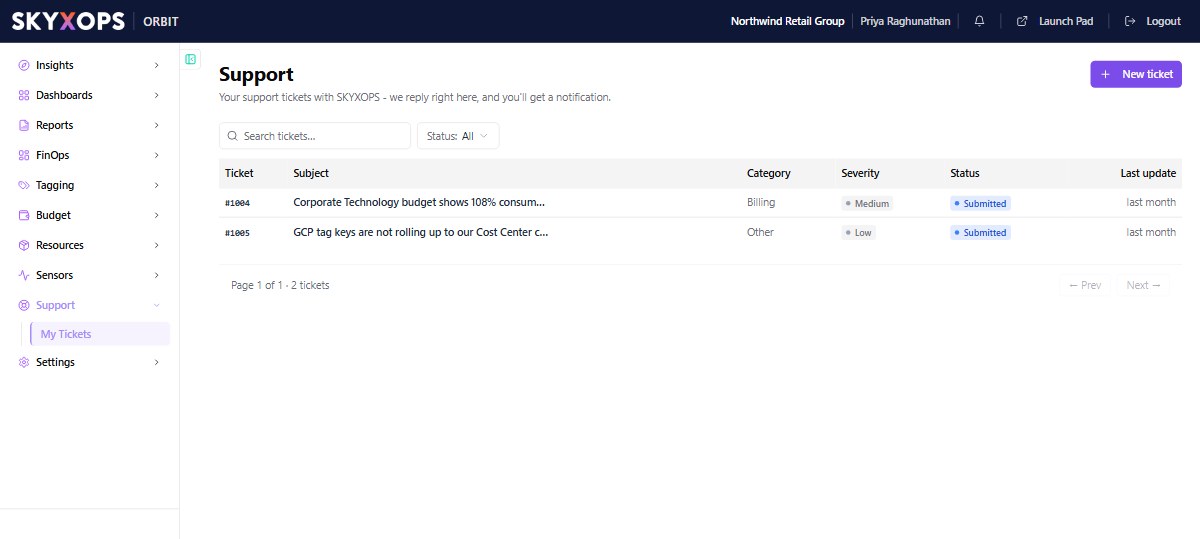
You can raise a support ticket with SKYXOPS from inside Orbit. SKYXOPS replies in the ticket, and you get a notification when it does.
Open it from Support > My Tickets.
Create a ticket
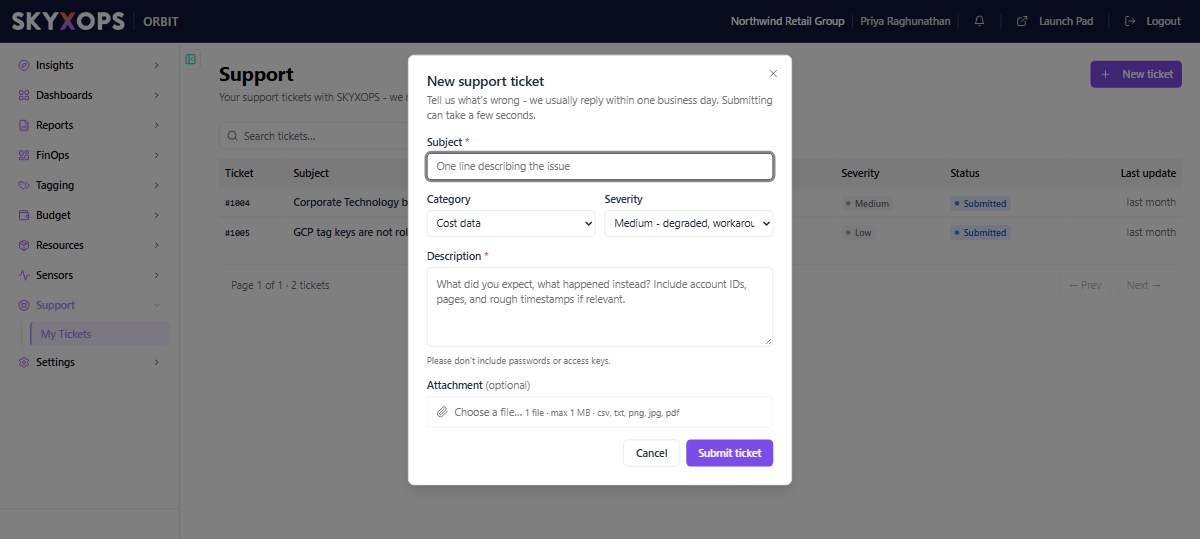
- Choose New ticket.
- Enter a Subject: one line that describes the issue.
- Pick a Category: Cost data, Billing, Access / login, Bug, Feature request or Other.
- Pick a Severity (see the table below).
- Write a Description. Say what you expected and what happened instead. Include account IDs, pages and rough timestamps if they are relevant. Do not include passwords or access keys.
- To add a file, use Attachment. You can attach one file of up to 1 MB, in csv, txt, png, jpg or pdf format.
- Choose Submit ticket.
| Severity | Use it when |
|---|---|
| Low | You have a question or a minor issue. |
| Medium | Something is degraded and a workaround exists. |
| High | A feature is unusable. |
| Critical | The problem is blocking your business. |
The form says SKYXOPS usually replies within one business day.
Follow a ticket
The list shows each ticket's number, subject, category, severity, status and last update. Use the search box or the Status filter to find a ticket.
Click a ticket to open it. You see the conversation and the ticket details. To answer, write a reply. You can attach one file to a reply, with the same limits as on a new ticket. Your reply notifies the support team.
Ticket statuses
A ticket moves through these statuses in order:
| Status | Meaning |
|---|---|
| Submitted | You created the ticket. |
| Open | The support team has picked it up. |
| In progress | The support team is working on it. |
| Waiting on you | The support team needs a reply from you. |
| Resolved | The support team considers it solved. |
| Closed | The ticket is finished. |
Two actions are available from an open ticket:
| Action | When | What happens |
|---|---|---|
| Cancel this ticket | While the ticket is Submitted or Open. | The support team stops work and the ticket moves to Cancelled. The conversation stays in your list. If the problem comes back, open a new ticket. |
| Reopen | Within 7 days of the ticket being Resolved. | The ticket moves back to Open and the support team picks it up again. Add a reply that says what is still wrong. |
FAQ
How do I know when SKYXOPS has replied?
You get a notification. See Notifications. The reply also appears in the ticket's conversation.
Can I attach more than one file?
No. A ticket or a reply takes one file of up to 1 MB.
I cancelled a ticket by mistake. Can I undo it?
No. Open a new ticket and describe the problem again.